CalTrak is a free calorie and macro tracker for iPhone and Android. Everything on this page is included. There's no premium tier, no ads and no account to make.
Take a closer look
These pages walk through specific features with real screenshots from the app.
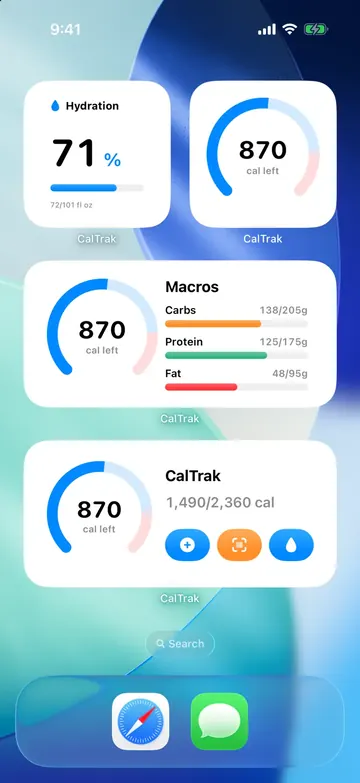 Widgets, Control Center and Siri shortcutsCalTrak has 6 home screen widgets for calories, macros and water, 3 Control Center controls, and Siri shortcuts to log food or check calories left.
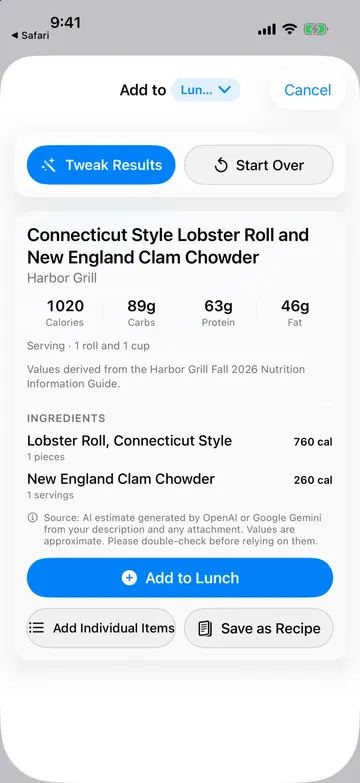 Log restaurant meals straight from the nutrition PDFShare a restaurant's nutrition PDF to CalTrak, type what you ate, and the AI pulls the calories and macros from the guide. Free on iPhone and Android.
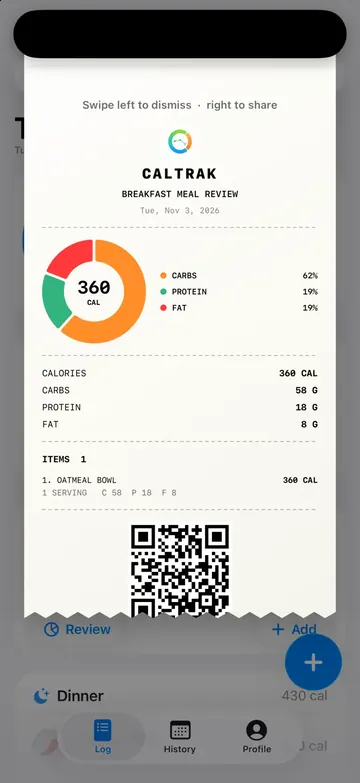 See, save and share what you ate with meal receiptsCalTrak turns any meal or day into a printed-style receipt with macros and a QR code. Save it as an image or share a link a friend can import.
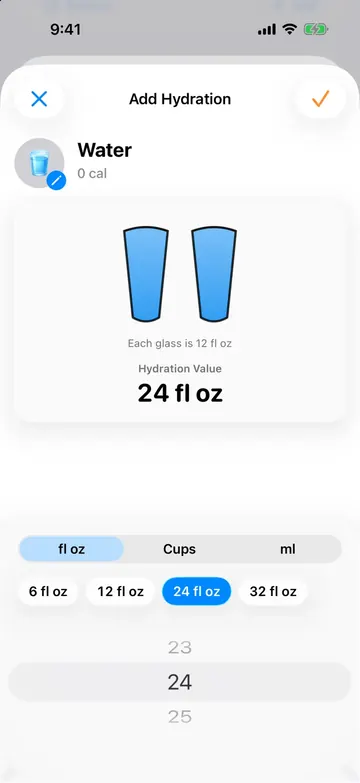 Water tracking, with coffee and other drinks countedTrack water in CalTrak alongside calories. Set a daily goal, log drinks in one tap, count coffee toward water, get gentle reminders and use a water widget.
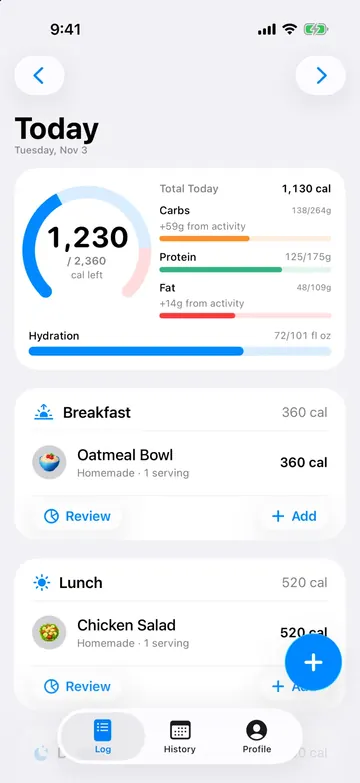 Apple Watch, workouts and exercise caloriesHow CalTrak handles Apple Watch workouts, manual exercise, Golf Mode and the Calorie Burn Bonus, so active days get a bigger budget without double counting.
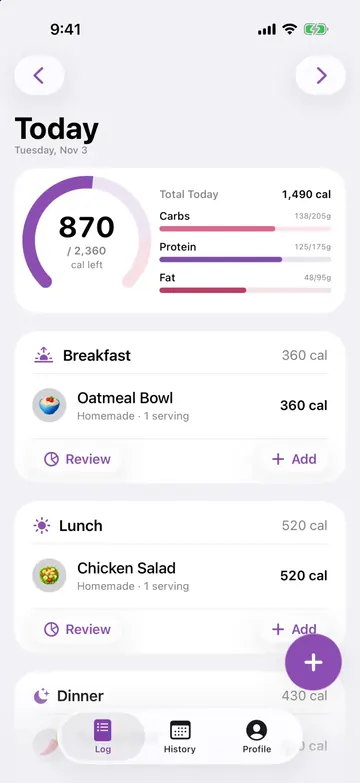 13 themes, 8 app icons and 800+ food icons, all freeMake CalTrak yours with 13 color themes, 8 character app icons and over 800 food icons. Widgets match your theme. None of it costs anything.
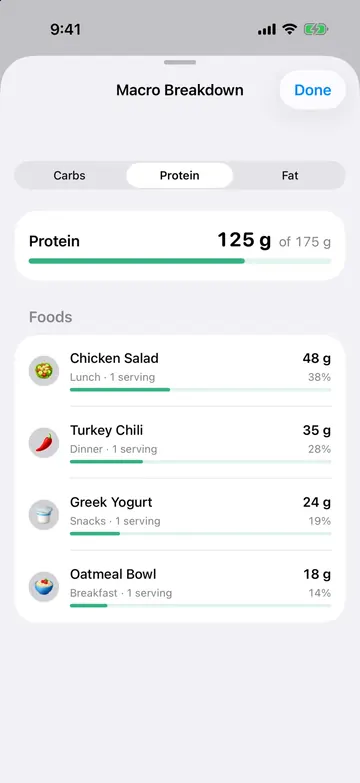 Things you didn't know CalTrak could doSmall CalTrak features most people miss: macro breakdowns, undo delete, streak freezes, sharing your log with an AI assistant, Golf Mode and more.
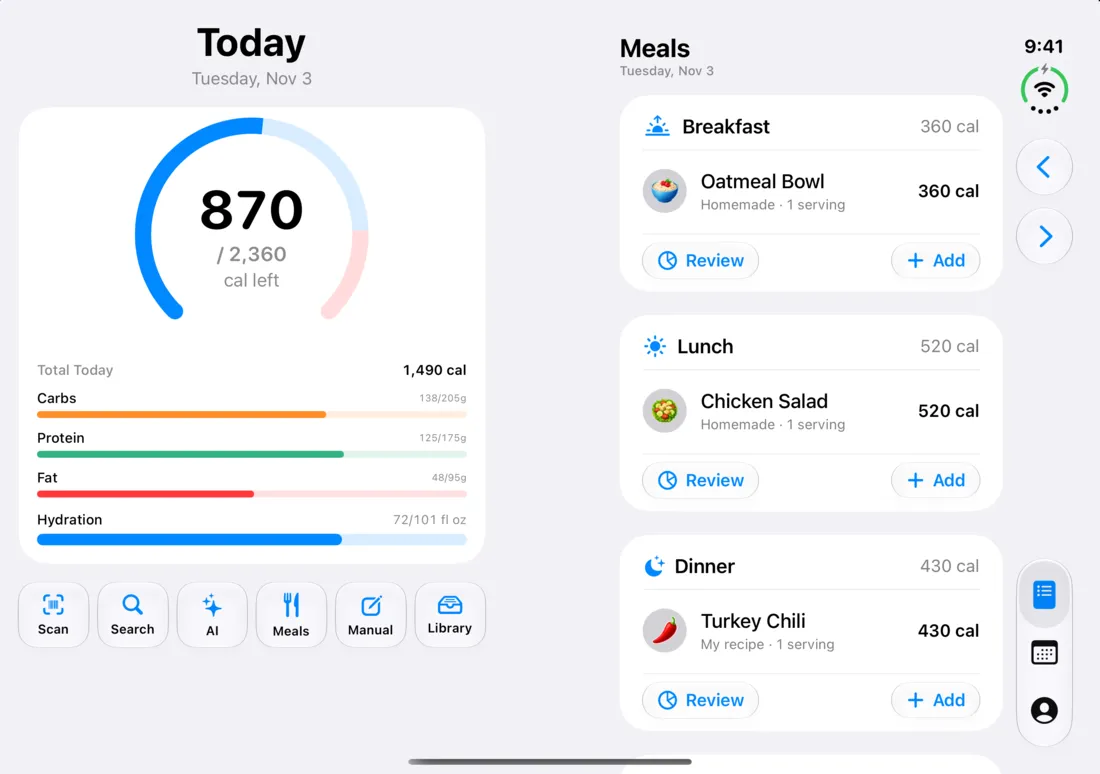 CalTrak on iPhone Duo, in every fold positionCalTrak supports iPhone Duo natively: two pages when it's open, a laptop-style tabletop layout, and a cover screen layout when it's closed.
Ways to log food
I wanted logging to take a few seconds, so there's a way to log whatever's in front of you.
- Scan a barcode on anything packaged. Nutrition comes from Open Food Facts.
- Search for generic foods, brands and restaurant items in one search, using FatSecret and USDA FoodData Central.
- Type what you ate in normal words, like "chipotle bowl, double chicken, sour cream", and CalTrak's AI estimates the calories and macros.
- Take a photo of your plate, a menu or a nutrition label. You can also pick one from your photos or paste it from your clipboard.
- Paste a recipe link and get nutrition per serving.
- Make custom foods and save your usual meals in grams, ounces, cups, milliliters, servings or pieces. A saved meal logs in two taps.
Every AI estimate shows up for review first, so you can fix a number before you save it. More on that in how accurate AI photo logging is.
Calorie and macro goals
The goal wizard asks your age, sex, height, weight, activity level and whether you want to lose, maintain or gain. It works out your resting burn with the Mifflin-St Jeor equation, adjusts for activity, and sets your calories, protein, carbs and fat.
- If you're losing weight, protein gets bumped up to help hold on to muscle.
- It won't set a target under 1,200 calories a day for women or 1,500 for men. If the pace you pick would need less than that, it tells you the pace it can actually support.
- Run it again whenever you want. It remembers your last answers.
You can try the same math in your browser with the calorie calculator.
Progress
- A calorie ring for today, with your average macros tracked across the week
- Day, week, month and quarter views with your average calories and meals per day
- Weight logging with 30 and 90 day trends, body measurements, a calendar heatmap of the days you logged, and your most logged foods
- Streaks that don't punish one busy day. Every 14 logged days you earn a streak freeze, and it covers a single missed day on its own.
- Meal reminders timed to when you usually eat, plus a weekly recap
Apple Health, Apple Watch and Health Connect
This is optional and only works if you give permission.
On iPhone, CalTrak reads your active and resting energy from Apple Health and can write your food, weight and body measurements back. Workouts from your Apple Watch show up with their names (it knows over 50 workout types) and route maps when they're available.
The Calorie Burn Bonus adds activity to your daily budget only when you burn more than your normal maintenance, so exercise doesn't get counted twice. On Android all of this runs through Health Connect. Details in the Apple Health guide.
Meal sharing
If you cook for two people, you shouldn't both have to enter every ingredient. Share the meal as a link and the other person imports the whole thing in one tap, on iPhone or Android. Links expire after 30 days.
Widgets, Siri and themes
- On iPhone there are home screen widgets, a Control Center button that opens the barcode scanner, and Siri and Shortcuts actions for logging food, water, weight and exercise or checking how many calories you have left.
- On Android there are widgets for your calorie budget, macros, water and quick add, plus app shortcuts.
- 13 color themes, alternate app icons, and food icons picked automatically so your log is easy to scan.
- Water tracking that remembers your usual drink sizes.
Your data stays on your phone
Your food log, goals and measurements are stored on your device. There's no sign-in. You can export everything to a backup file and import it again, even going from iPhone to Android. The privacy page covers exactly what leaves your phone and when.
Accessibility
On iPhone, the rings, charts and calendar all have VoiceOver labels. CalTrak follows Reduce Motion, uses Dynamic Type on its main screens, and every color cue comes with an icon or text too.