CalTrak tracks water right next to your calories. Set a daily goal, log a drink in a tap or two, and coffee, tea and other drinks count toward it by how much water they actually contain.
How do I turn on water tracking?
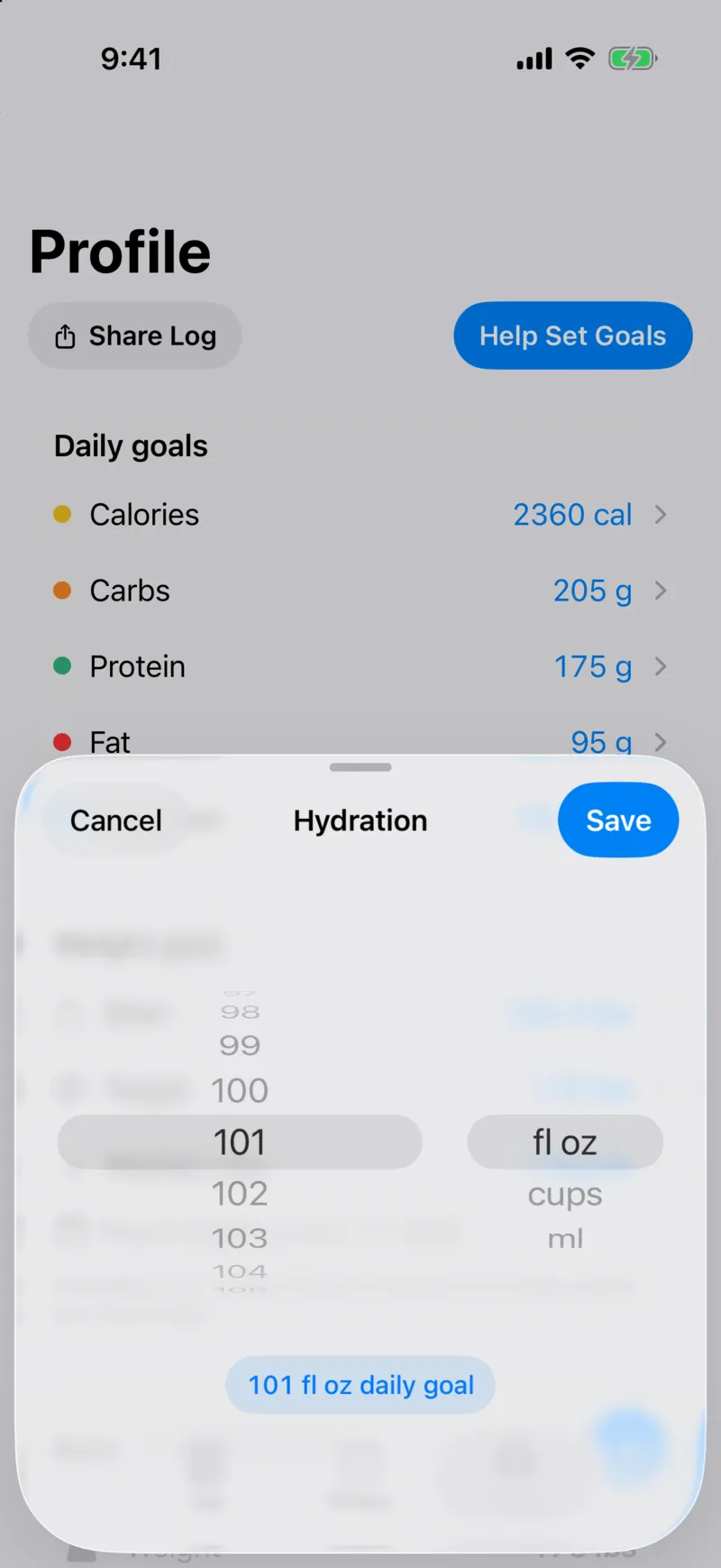
Go to the Profile tab and switch on "Hydration Tracking". A Hydration section shows up on your Log tab with a progress bar for the day.
Set your daily goal in fl oz, cups or ml, whichever you think in.
How fast is logging a drink?
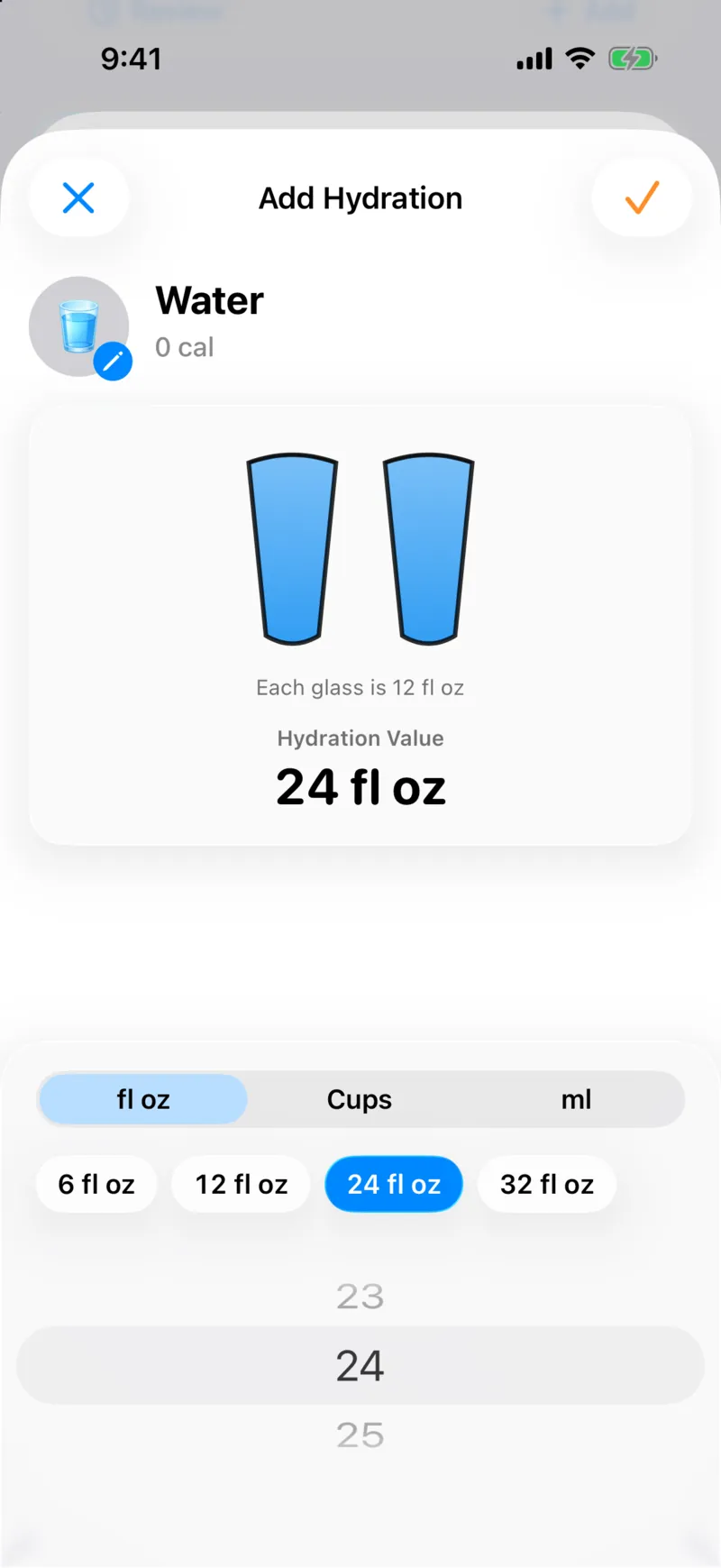
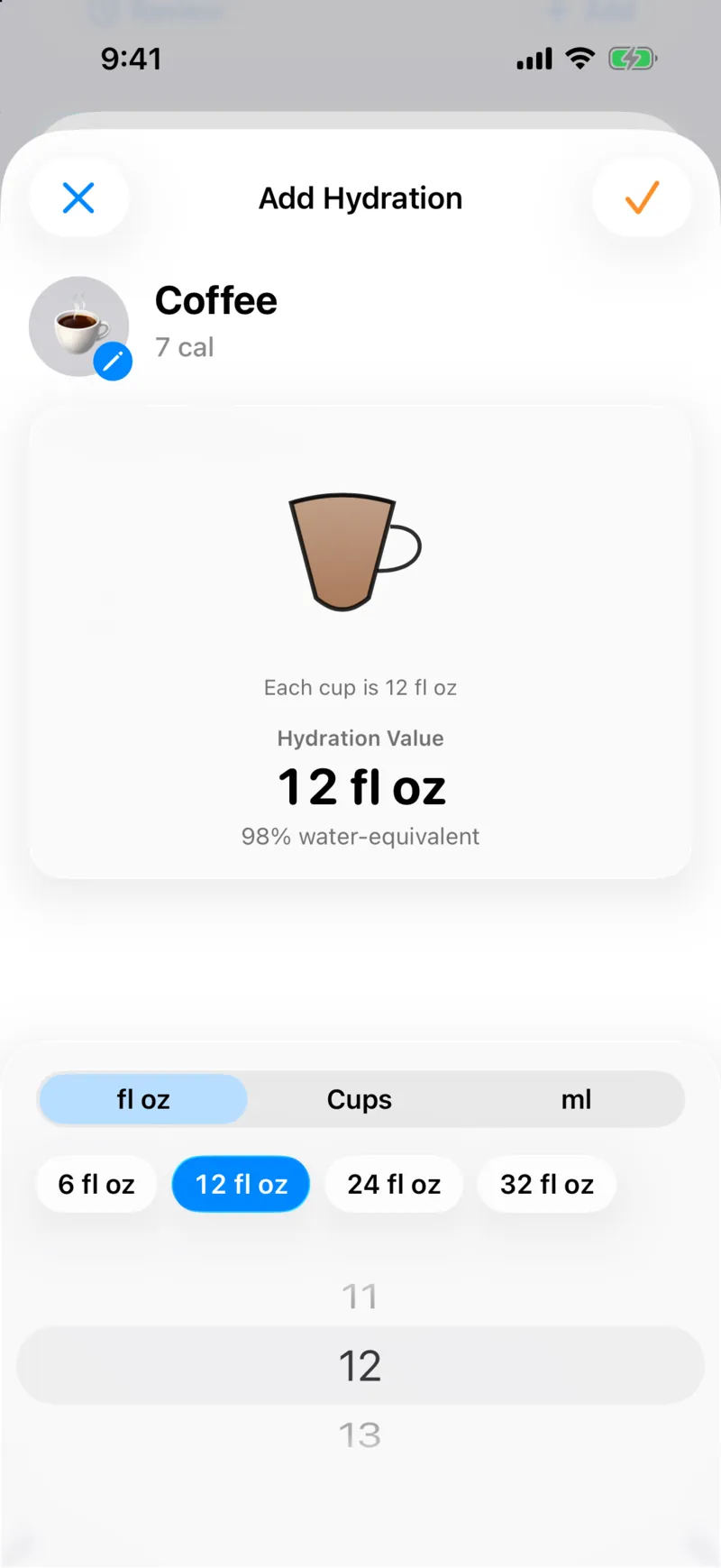
Pick a drink and you get a portion screen with a glass graphic and quick sizes of 6, 12, 24 and 32 fl oz. Tap one, or scroll to any amount.
CalTrak remembers the last size you used for each drink, so your usual bottle is already filled in next time.
Does coffee count as water?
Yes, mostly. There are 13 built-in drinks, and each one counts by its water value. Coffee counts as 98% water-equivalent, so a 12 oz cup adds almost 12 oz toward your goal.
The drink screen shows its calories too, like the 7 cal in that cup of coffee.
Can CalTrak remind me to drink water?
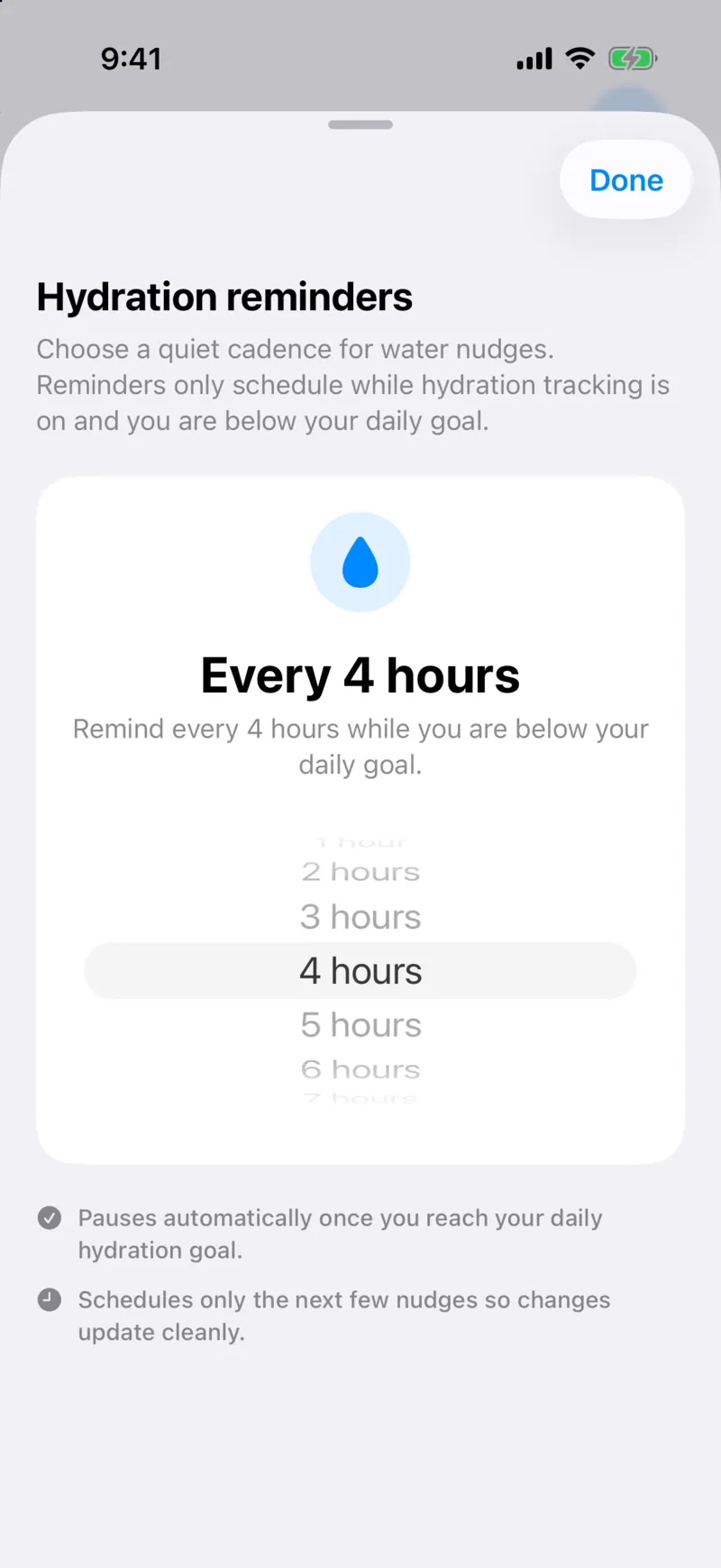
Yes. Hydration reminders can come anywhere from every hour to once a day, and the default is every 4 hours.
They only go out while you're under your goal, and they stop once you reach it. No nagging after you've already hit it.
Is there a water widget?
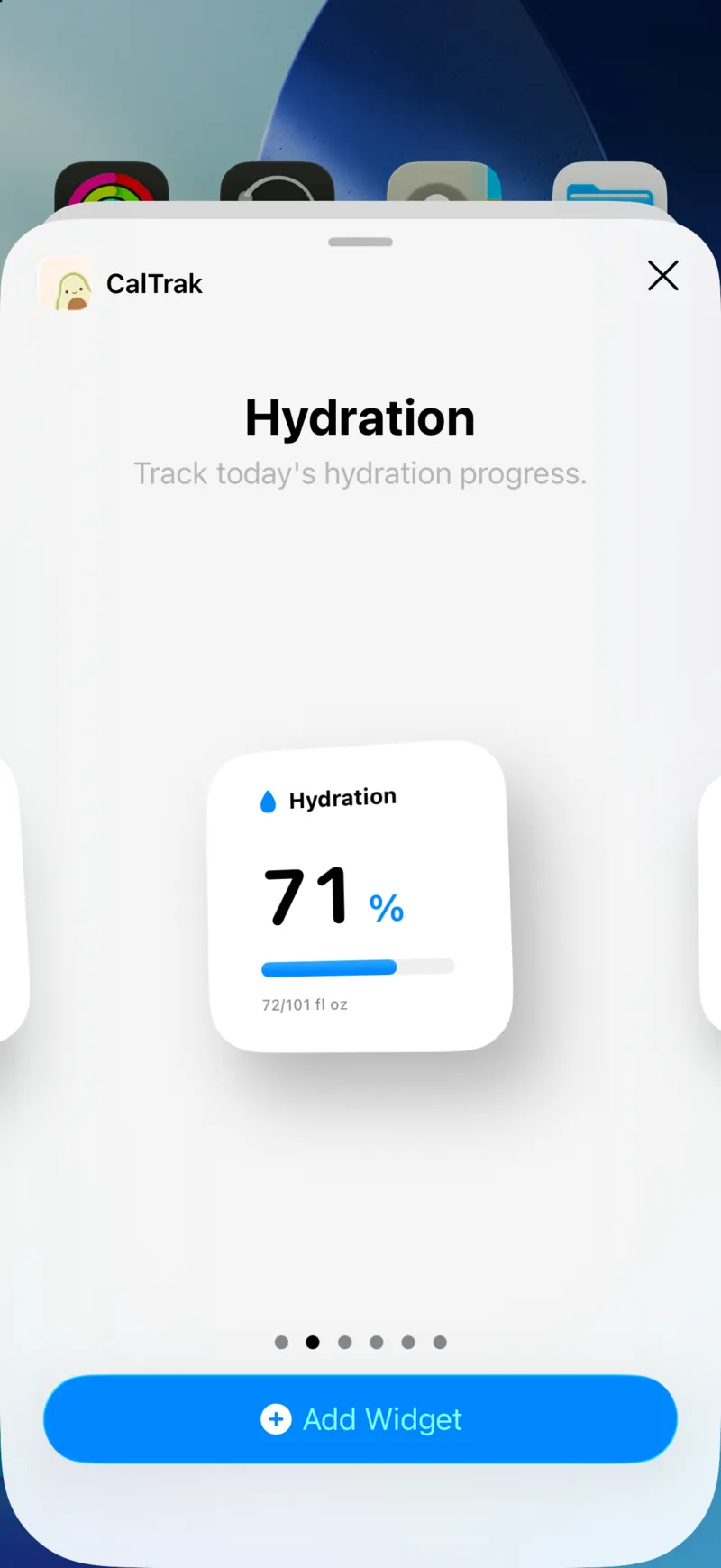
There are two: a small "Hydration" widget with your percentage and ounces so far, and a medium "Hydration + Quick Add" widget with a big plus button that opens the water logger.
You can also log water from Control Center with "Log Hydration", or with the "Log Water" action in Shortcuts. All of it is on the widgets and shortcuts page.
Can I see how much I've been drinking?
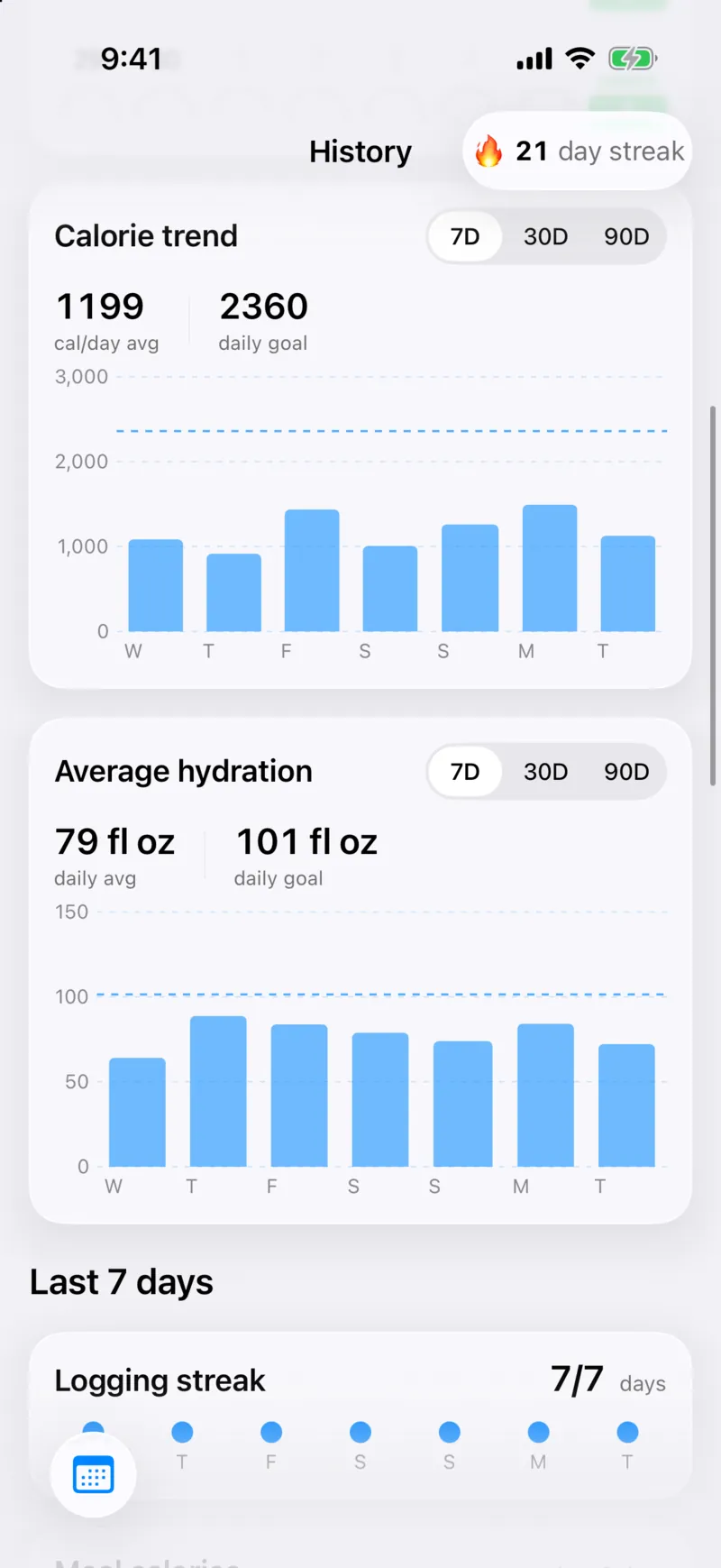
Yes. The History tab shows your average hydration for 7, 30 or 90 days next to your calorie trend, with your daily goal drawn as a line.
Does water sync to Apple Health?
No. Water stays in CalTrak and isn't written to Apple Health or Health Connect. Your food, weight and body measurements can still sync if you turn that on.
Questions people ask
Yes. Turn on Hydration Tracking in the Profile tab to set a daily goal and log water and other drinks.
Yes. Each drink counts by its water value, and coffee counts as 98% water-equivalent.
Yes. Your goal and drinks can be in fl oz, cups or ml.
No. Water is tracked in CalTrak only.