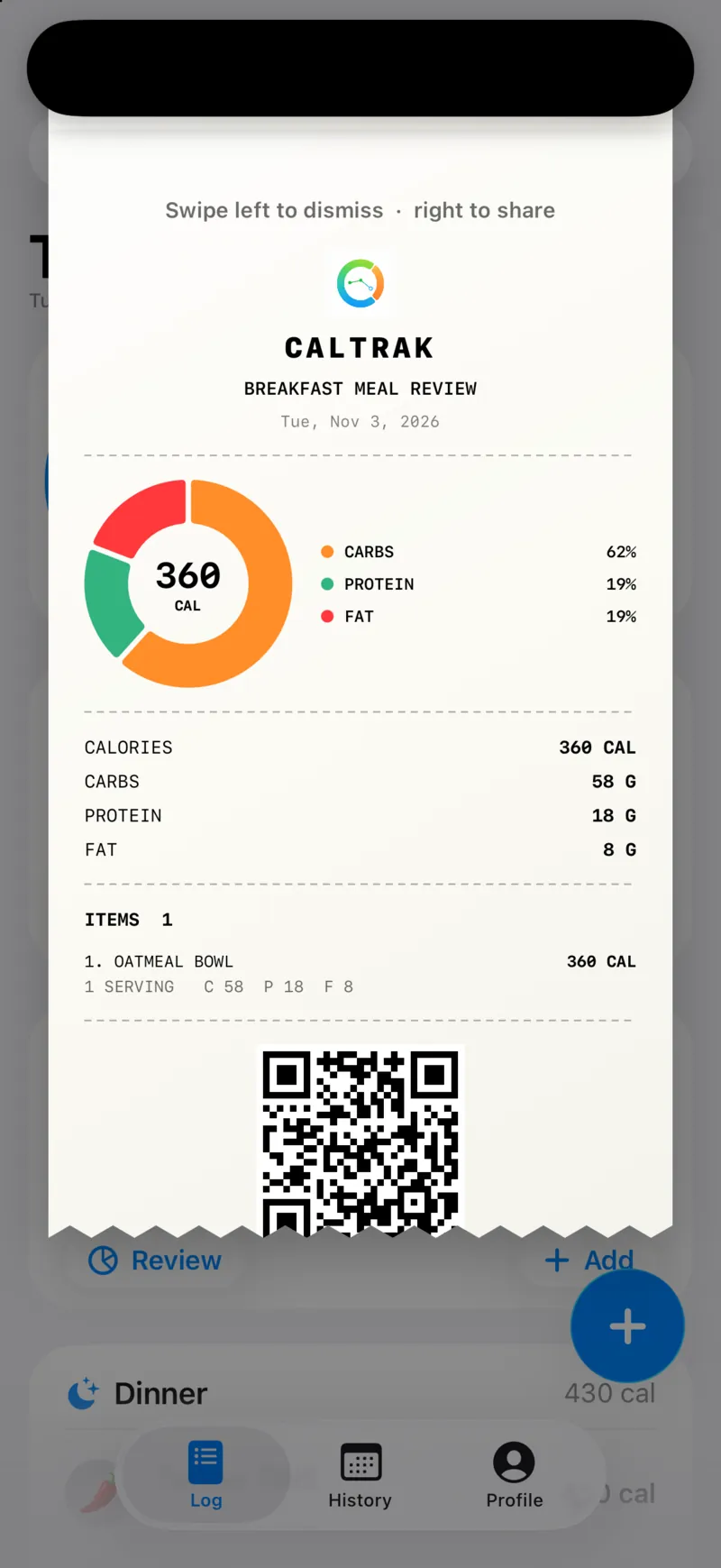
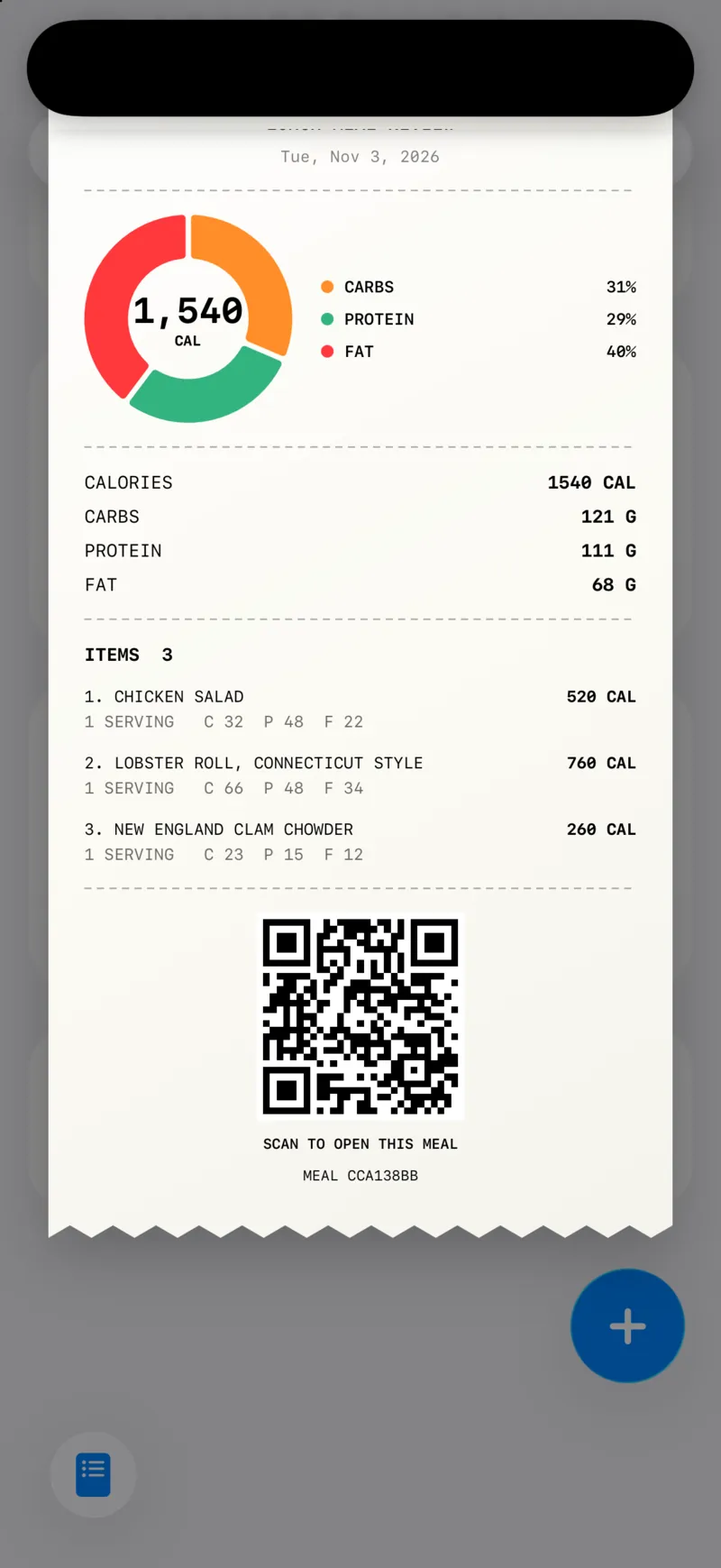
Every meal in CalTrak can turn into a receipt. It prints down from the top of the screen with your calories, a macro pie chart, every item and a QR code, and you can save it or share it with a friend.
What's on a meal receipt?
A receipt shows the meal name and date, a pie chart of calories by carbs, protein and fat, then a numbered list of what you ate with the calories and macros for each item.
At the bottom there's a QR code and a meal ID. I wanted it to feel like an actual receipt, so it prints out with a little animation when you open it.
How do I open one?
Tap "Review" at the bottom of any meal card on the Log tab, or in a day's recap in History.
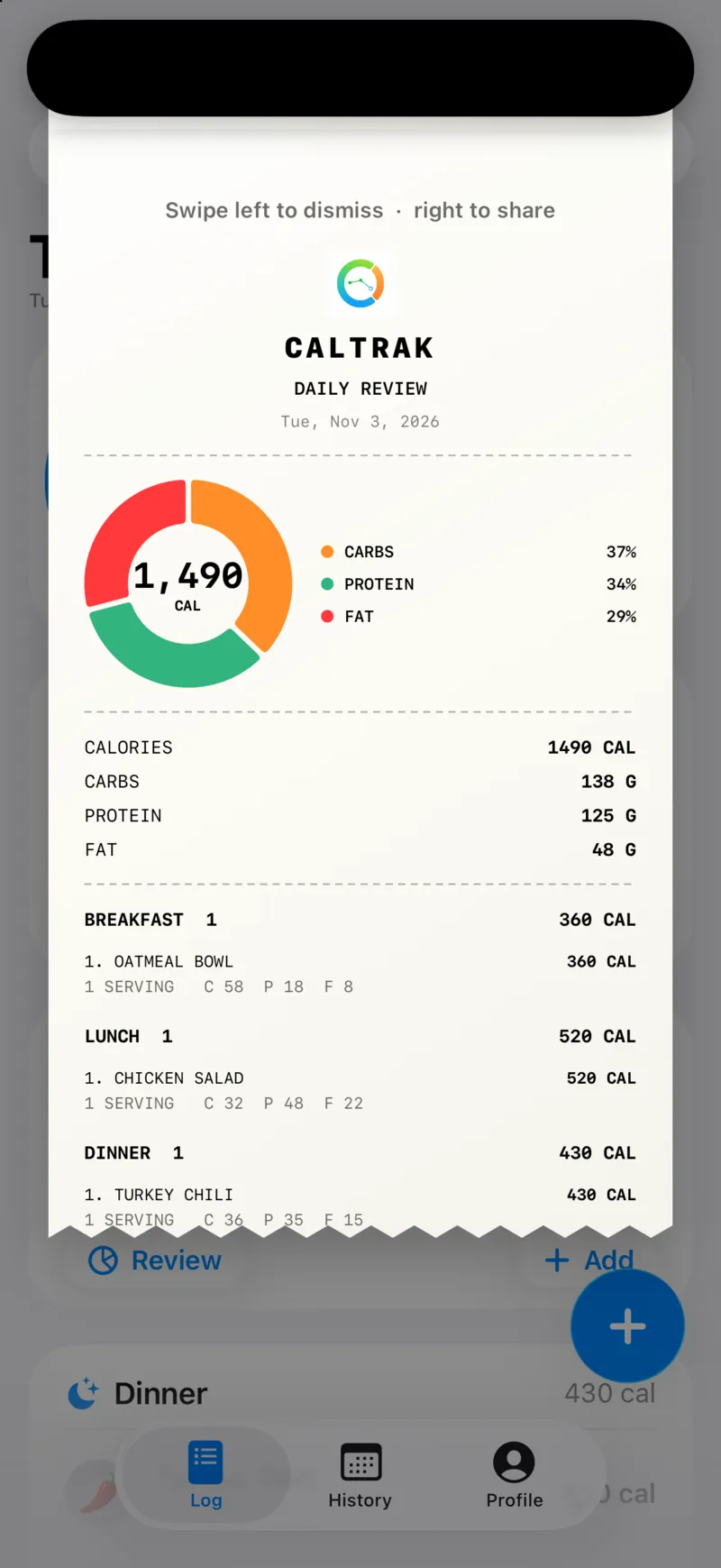
For the whole day, tap the calorie ring. You get a Daily Review with every meal on one receipt. Days in the future are blocked, since there's nothing to review yet.
How do I save or share it?
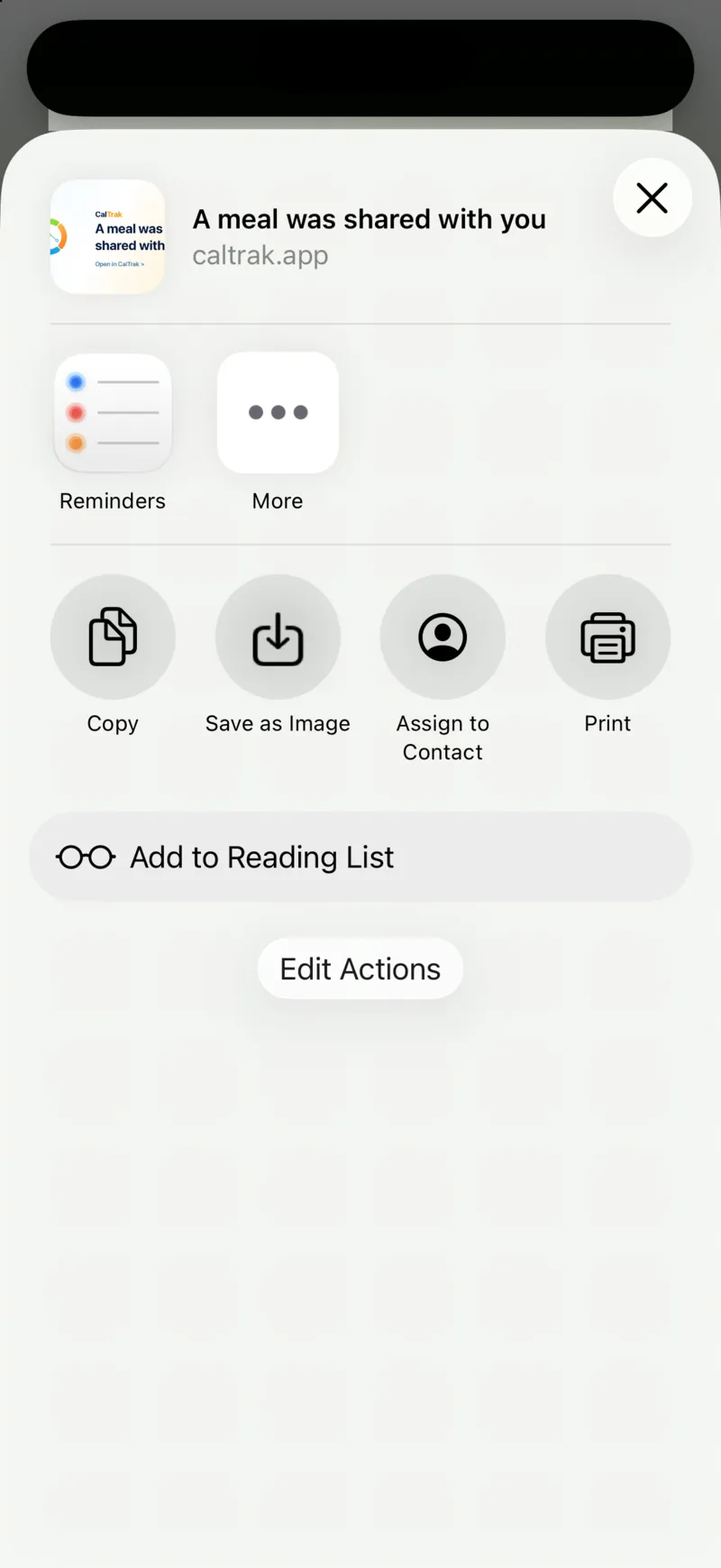
Swipe left to dismiss the receipt. Swipe right to open the share sheet.
The share sheet has a caltrak.app link to the meal plus "Save as Image", so you can drop the receipt into your photos or send it in a text.
What does the QR code do?
The QR code is the same link. If you made dinner for someone, they can scan it with the Camera app and the whole meal comes up in CalTrak, ingredients and all, so they don't have to look everything up again.
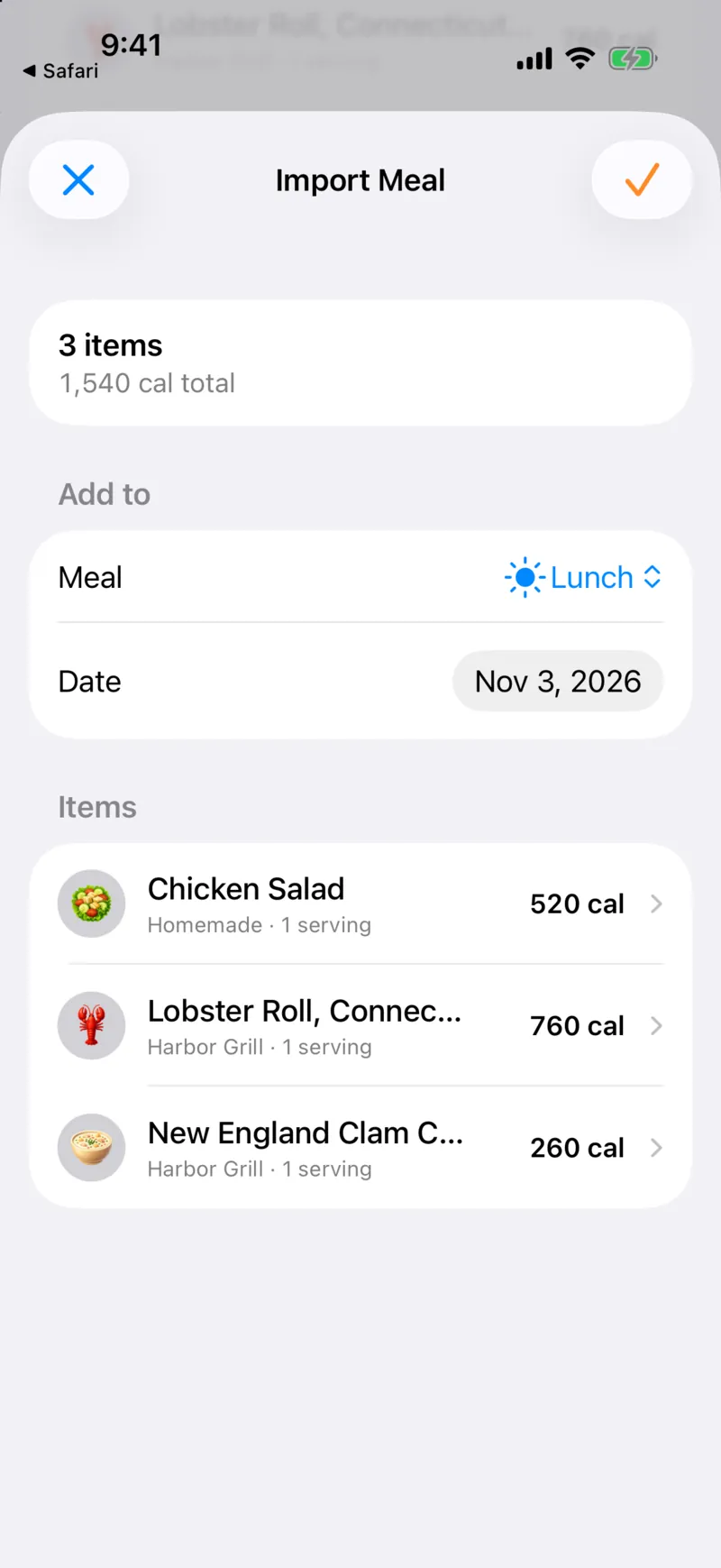
On the Import screen they pick the meal and the date. Today or later both work, and a future date saves it as planned. They can edit or delete items, and nothing gets logged until they confirm. It works between iPhone and Android.
Anything to know?
- Creating a link needs an internet connection.
- A shared meal can have up to 100 items.
- Meal links expire after 30 days.
- The receipt is for viewing and sharing. To log items one by one from an AI lookup, use "Add Individual Items" on the result screen.
Questions people ask
Yes. Open the meal's receipt and swipe right to share a link, or let your friend scan the QR code. They see the full meal and choose when to log it.
Yes. Swipe right on the receipt and choose Save as Image.
To import the meal into their log, yes. CalTrak is free on iPhone and Android.
Yes. Tap the calorie ring on the Log tab to open the Daily Review.